Butik Demo · byherstore.biz/store/butik-demo
What a customer goes through, from shop page to finished order
Real screens from the current live build, captured at phone width (390px) and shown in Malay as customers see them by default. Scroll inside each phone to see the whole page. Customers check out as guests, with no account. This demo shop charges RM8.00 postage to Peninsular Malaysia and RM15.00 to Sabah & Sarawak, and has MyParcel tracking turned on.
Digital product: E-Book Panduan Bisnes Online, RM19.00
No delivery address, region or postage. The file link stays hidden until the seller confirms payment, then the order page shows it.
-
Customer
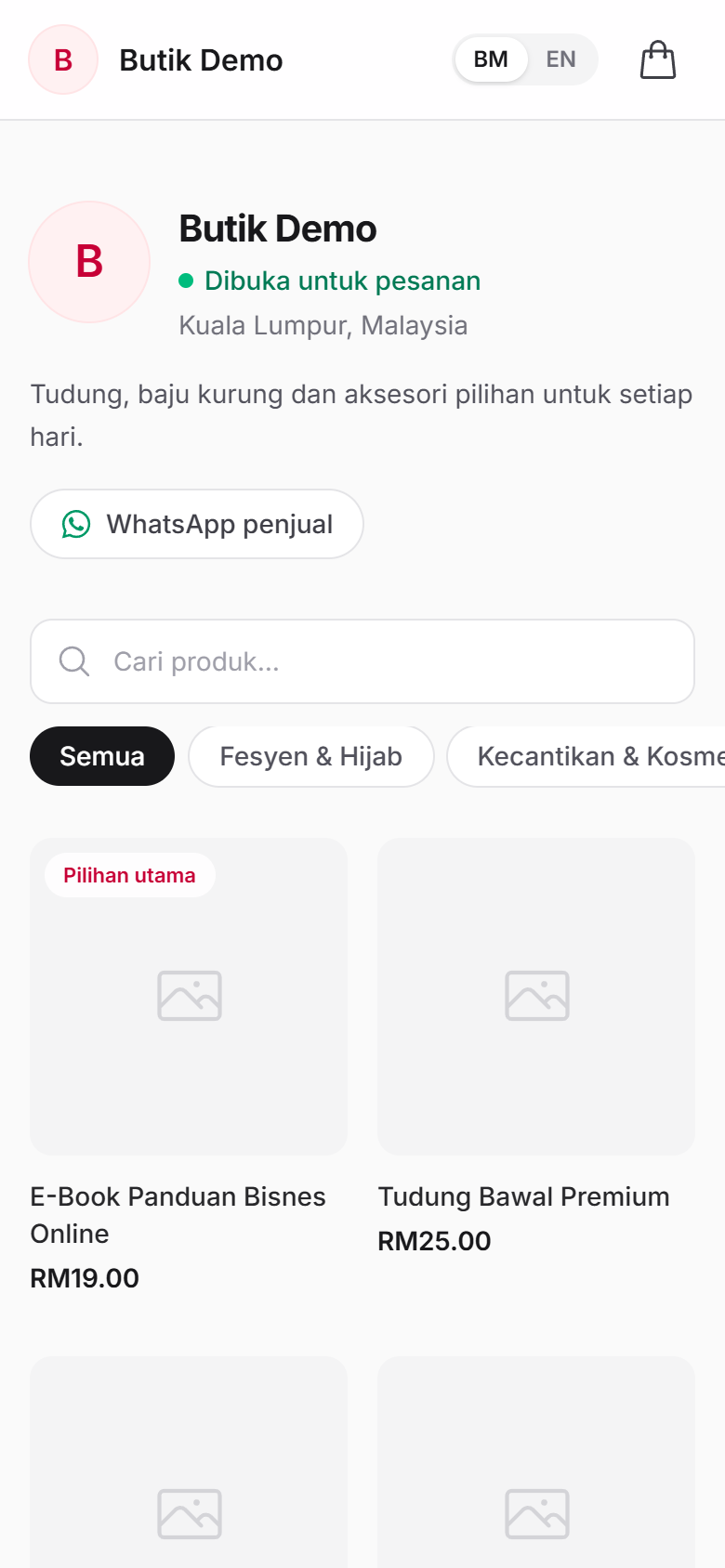
Opens the shop link
Usually from the seller's WhatsApp or Instagram bio. Can search and filter by category.
-
Customer
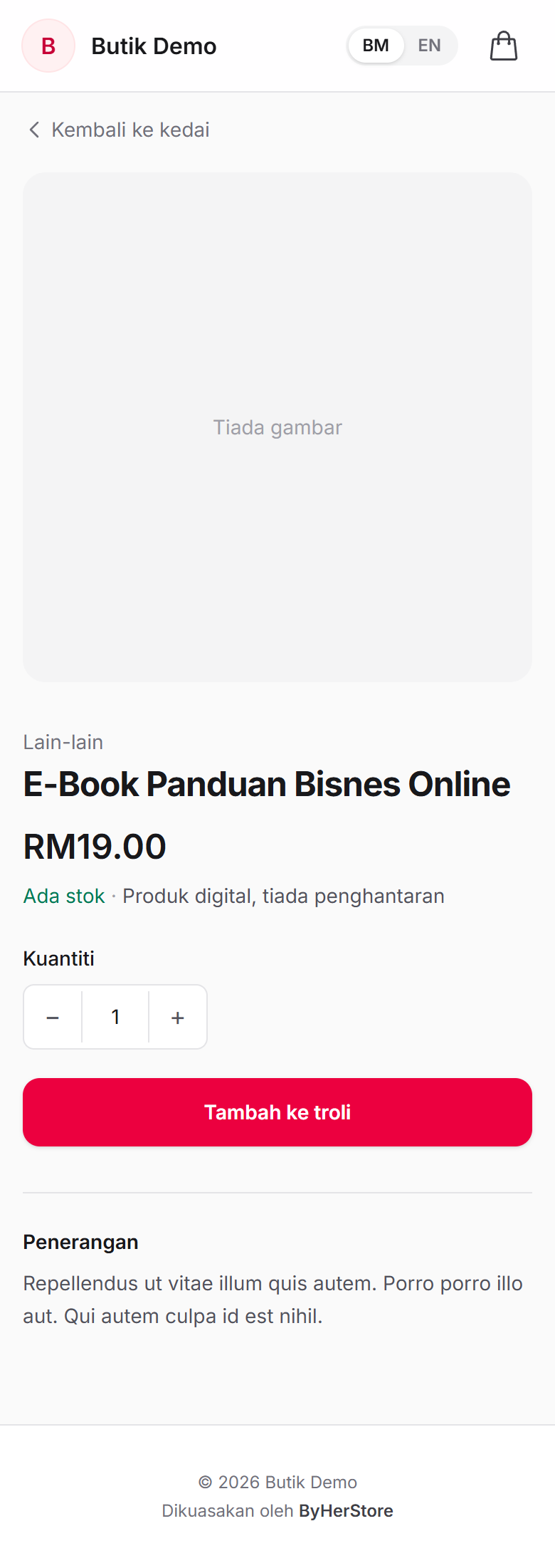
Views the product and adds it to the cart
Marked "Produk digital, tiada penghantaran" (digital product, no delivery).
-
Customer
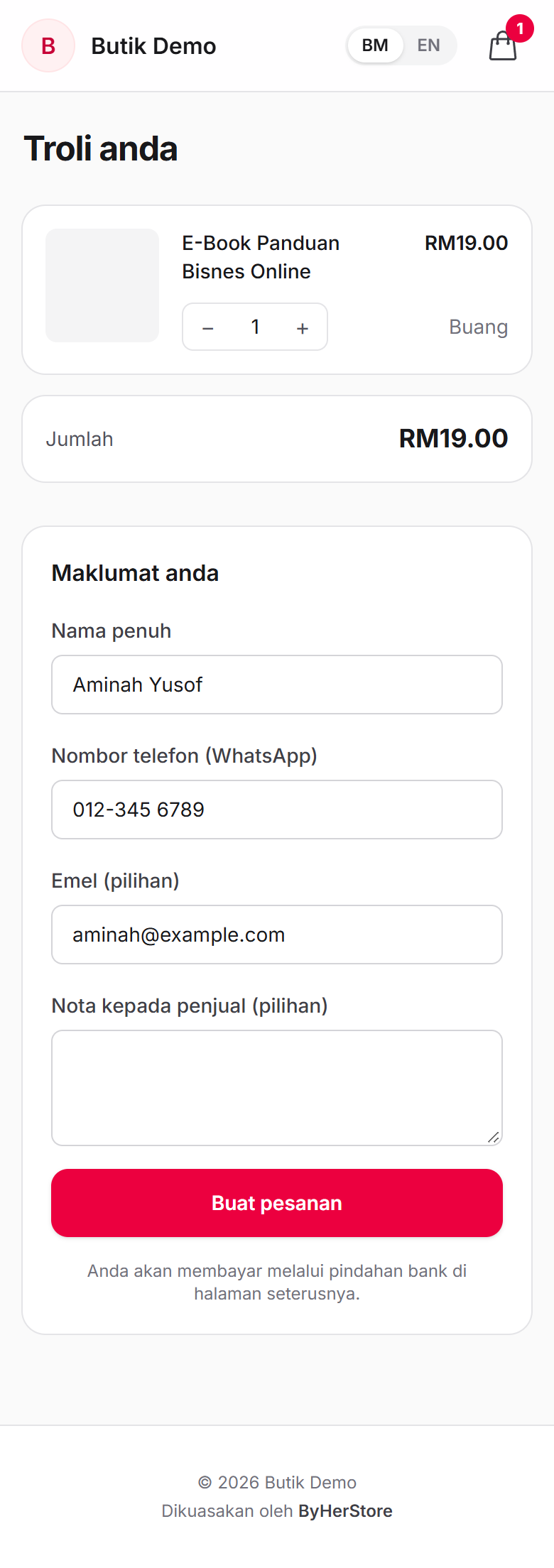
Fills in name and phone
No address, no region, no postage line: the total is just the product price. Taps Buat pesanan (place order).
-
CustomerNew
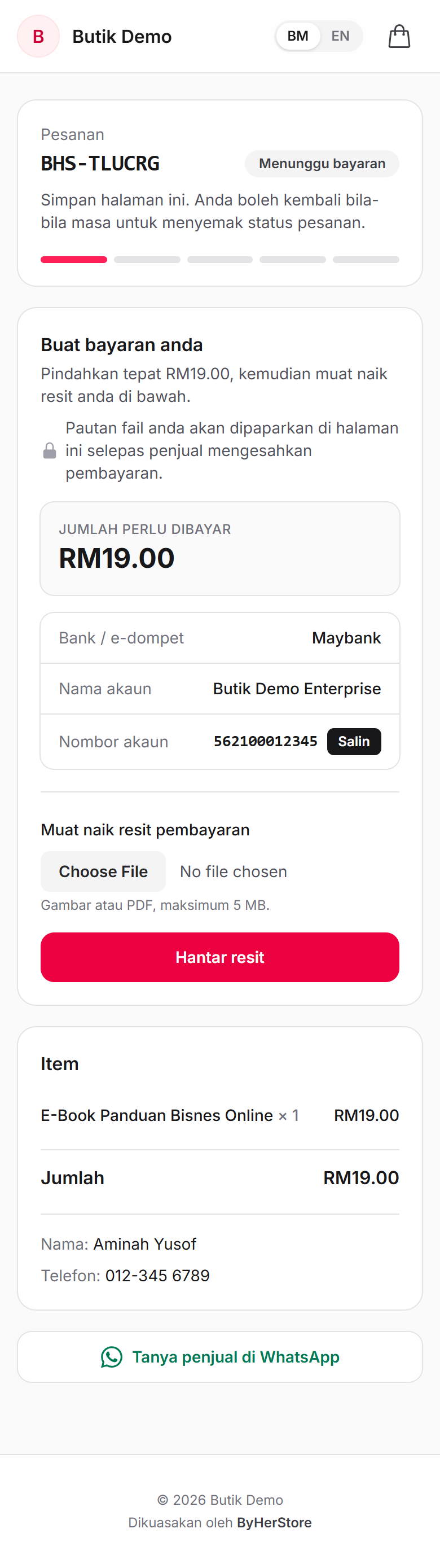
Order page with payment details
Bank account with a copy button and DuitNow QR. A lock line says the file link will appear here once payment is confirmed.
-
Customer
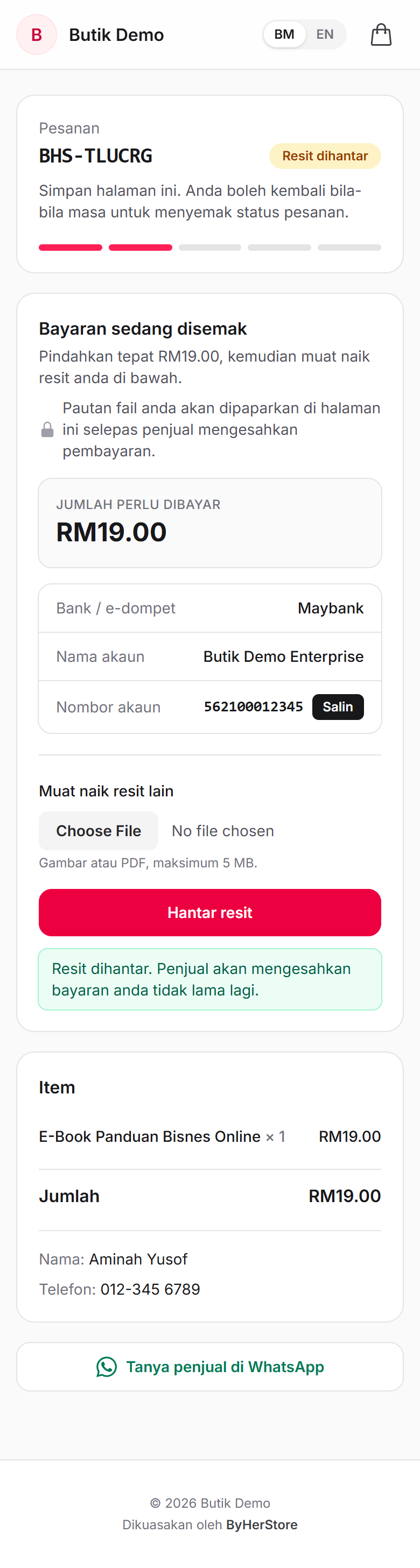
Transfers and uploads the receipt
Photo or PDF up to 5 MB. Status becomes Resit dihantar (receipt sent) and the seller gets a push notification.
-
SellerNew
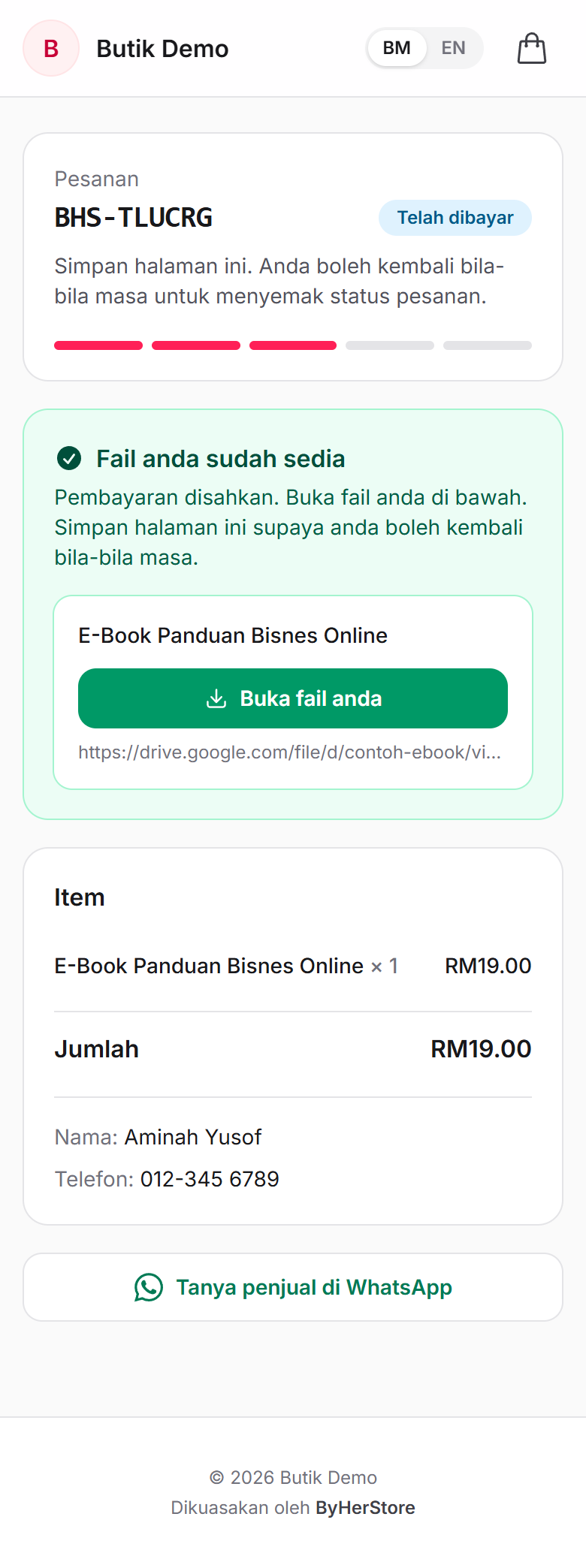
Seller confirms payment, and the file appears
The customer reopens the same page and sees "Fail anda sudah sedia" (your files are ready) with a Buka fail anda (open your file) button.
Physical product with delivery: Tudung Bawal Premium, RM25.00, to Sabah
The customer picks a colour, chooses a delivery region (which sets the postage), pays RM40.00, and then follows the parcel by its tracking number.
-
Customer
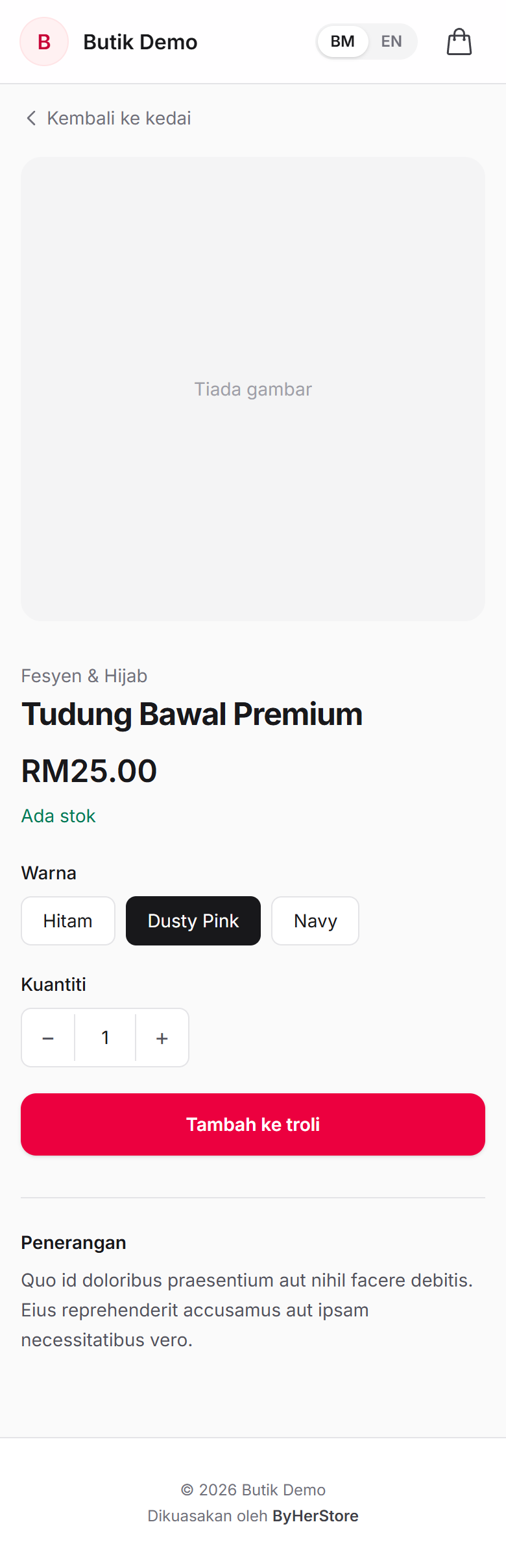
Chooses a colour and adds to cart
Options the seller set up (Warna: Hitam, Dusty Pink, Navy) must be chosen first.
-
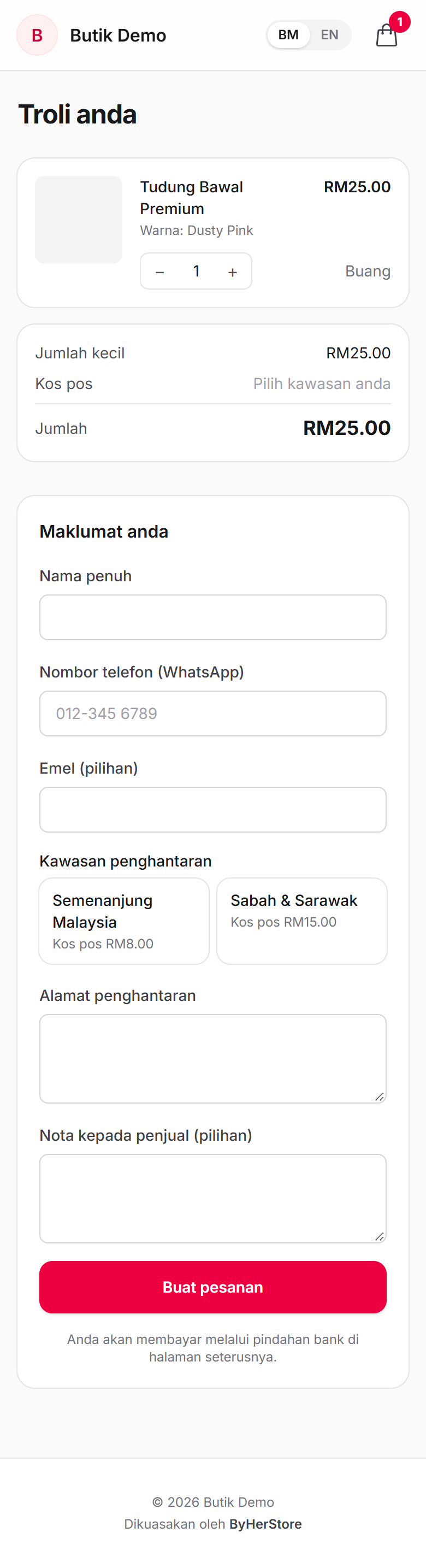
CustomerNew
Sees the two delivery regions
Semenanjung Malaysia (RM8.00) or Sabah & Sarawak (RM15.00). Until one is chosen, the postage line reads "Pilih kawasan anda" (choose your region).
-
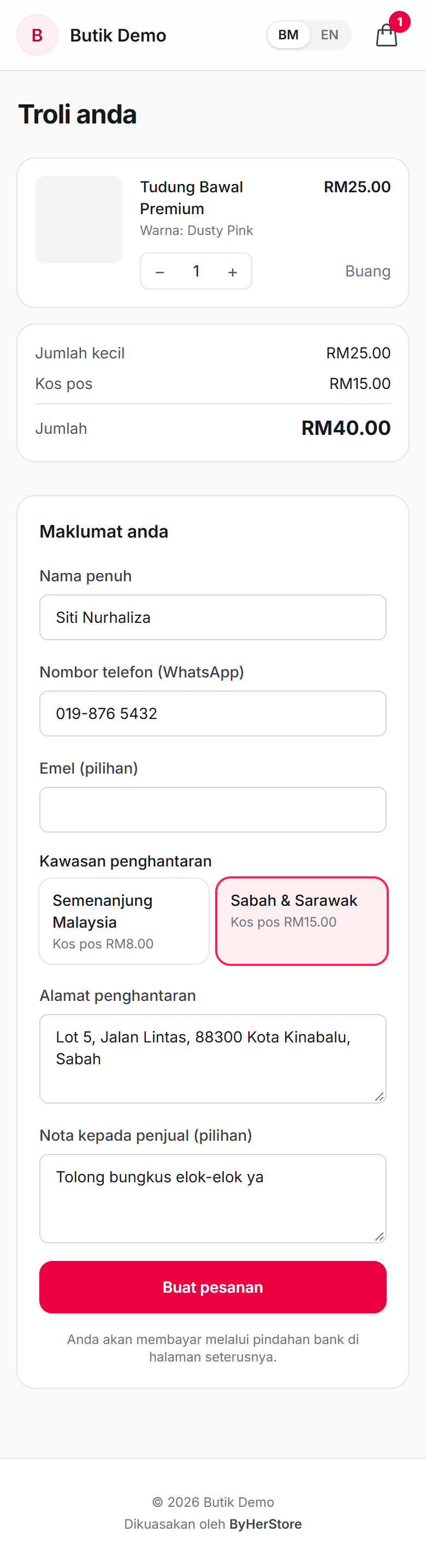
CustomerNew
Picks Sabah & Sarawak; the total updates
Jumlah kecil (subtotal) RM25.00 + Kos pos (postage) RM15.00 = RM40.00. Then the delivery address and an optional note.
-
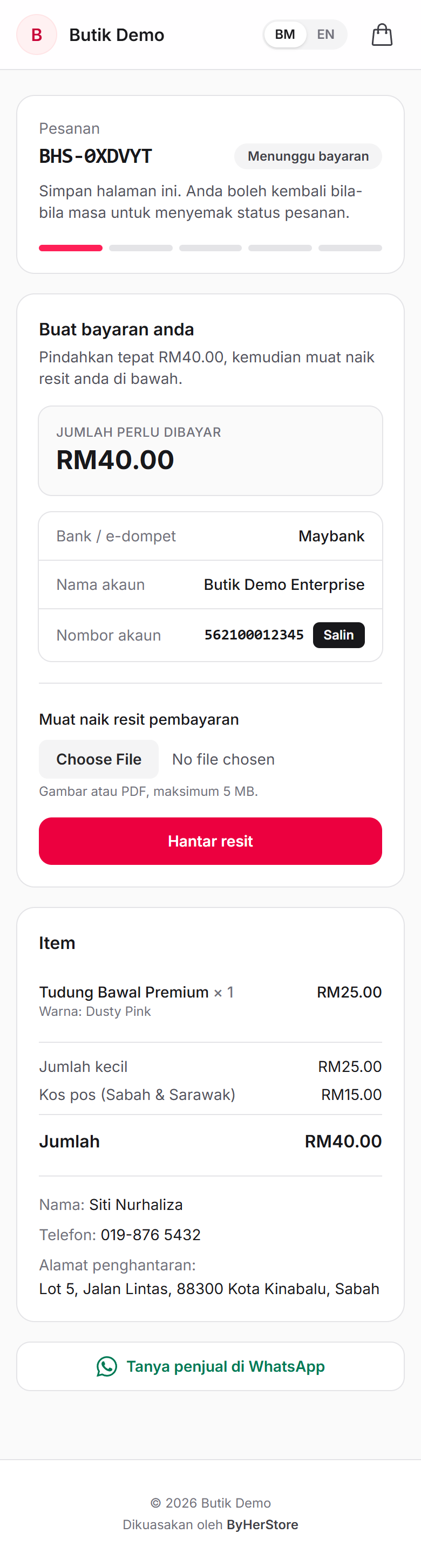
CustomerNew
Pays the amount including postage
"Pindahkan tepat RM40.00" (transfer exactly RM40.00). The item list shows the subtotal, the postage with its region, and the total.
-
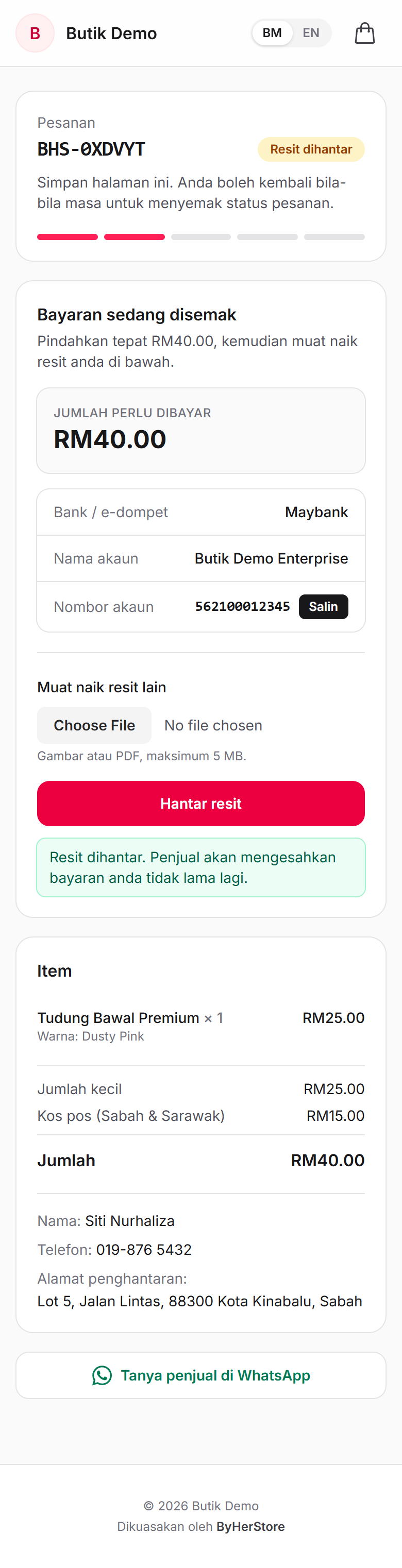
Customer
Uploads the receipt
Status becomes Resit dihantar (receipt sent). The seller is notified.
-
SellerNew
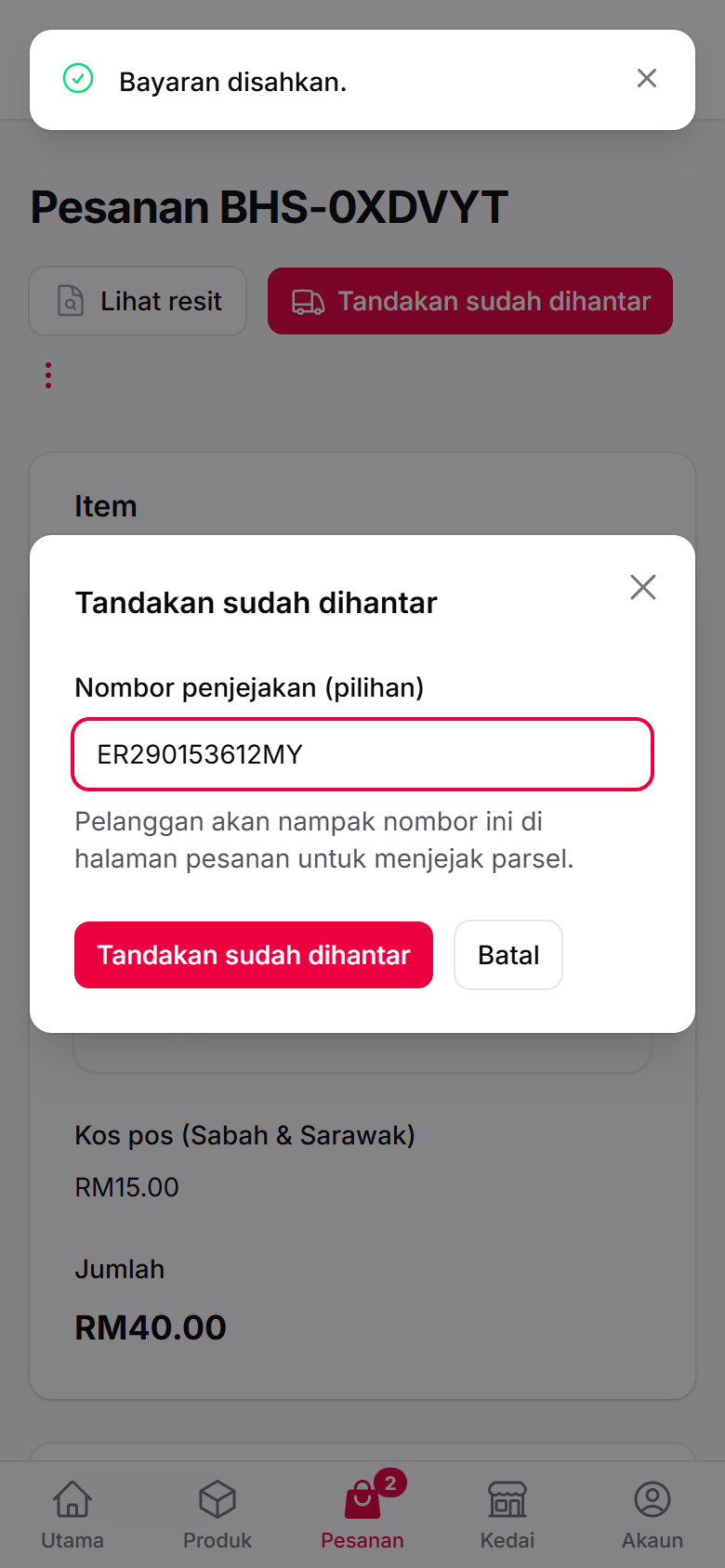
Seller confirms payment, then ships with a tracking number
This is the seller app. "Tandakan sudah dihantar" (mark as shipped) now asks for the tracking number. It's optional and can be fixed later.
-
SellerNew
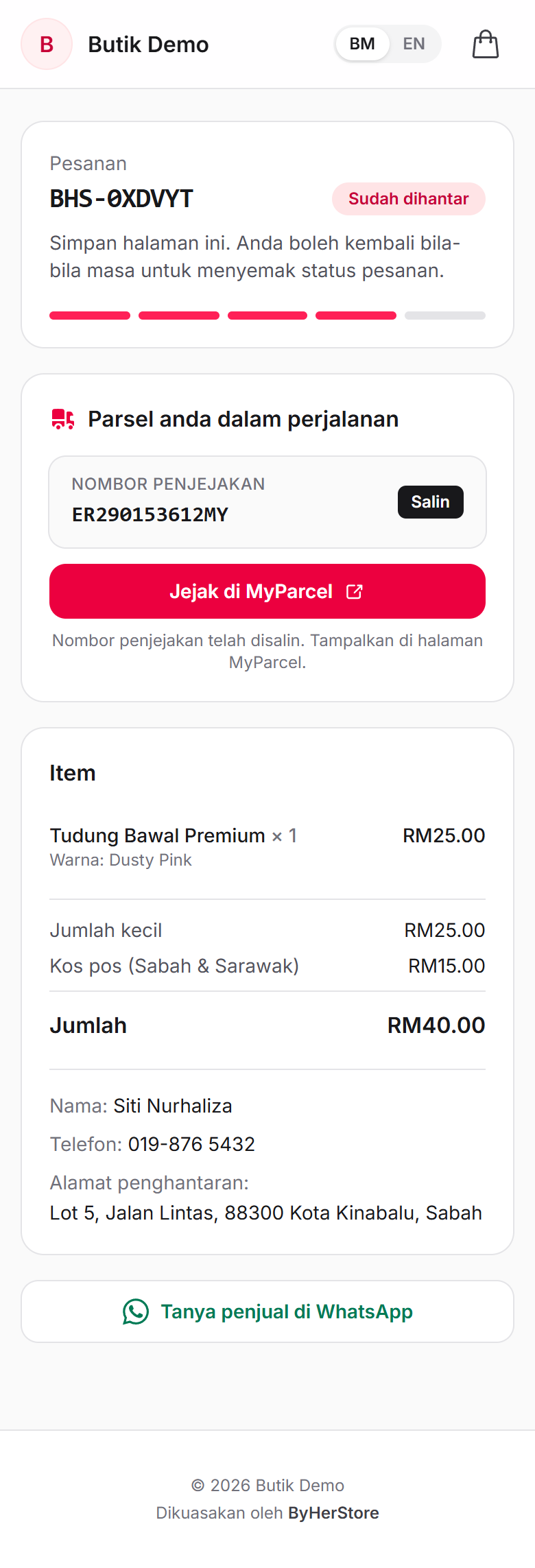
The customer sees the tracking number
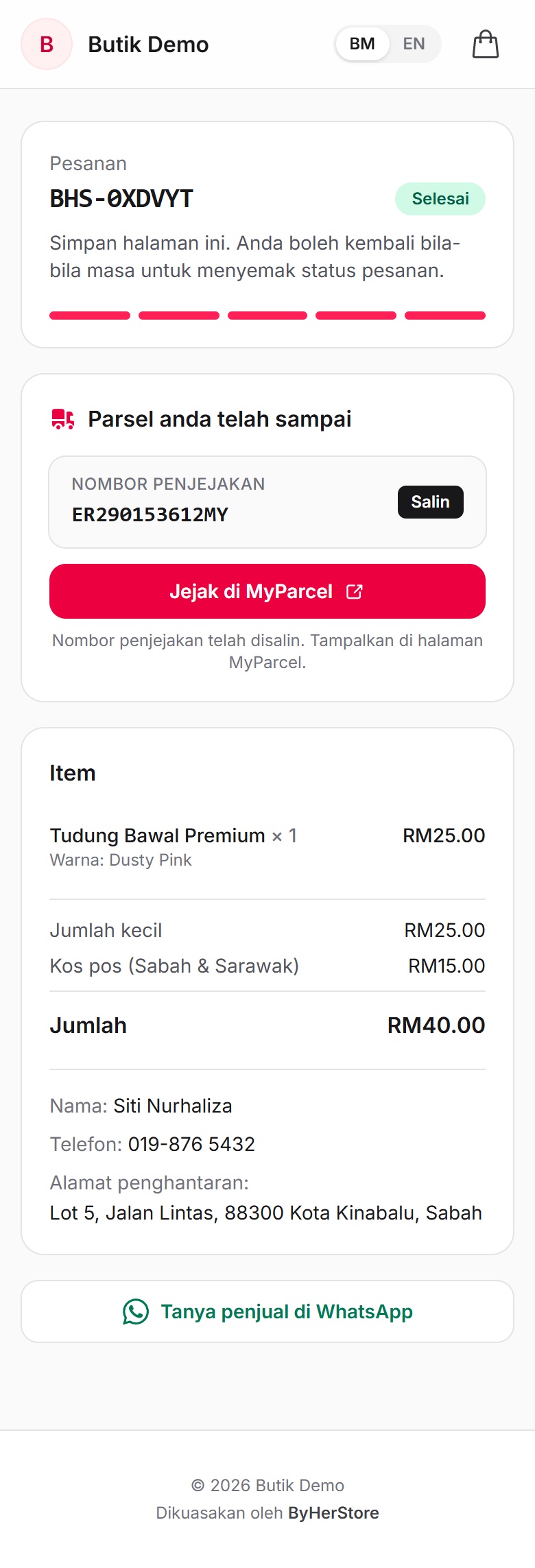
"Parsel anda dalam perjalanan" (your parcel is on its way), the number with a copy button, and Jejak di MyParcel (track on MyParcel), which copies the number and opens MyParcel's tracking page.
-
Seller
Seller marks it completed
Status Selesai (completed), progress bar full. The card changes to "Parsel anda telah sampai" (your parcel has been delivered) and keeps the tracking number.